.svg)
iPhone 18 Pro / Silver
Free iPhone Duo Mockup
Build a free foldable iPhone mockup with the iPhone Duo. Add separate designs to its inner and cover displays, set the hinge anywhere from closed to open, and compose a 3D shot for your presentation.
Create your iPhone Duo mockup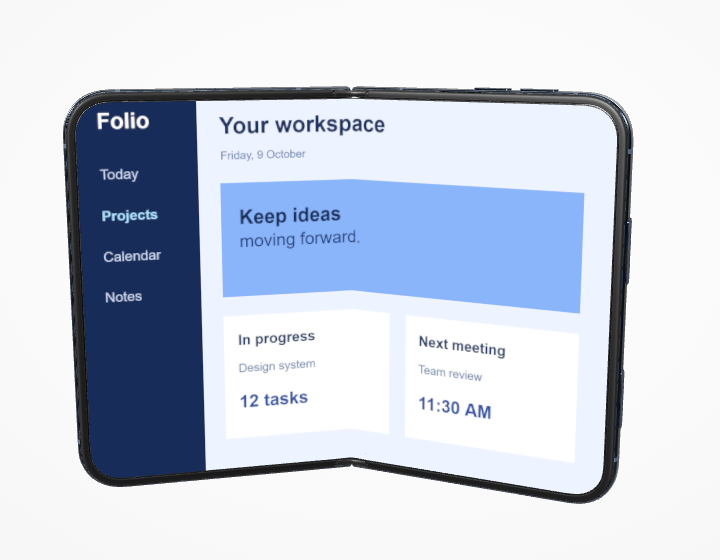
Foldable app concepts, adaptive layouts, handoff flows, and presentations that show the hinge.
The inner display opening is landscape, about 1.430 units wide per 1 unit tall; the cover opening is portrait, about 0.692 wide per 1 tall. Prepare separate source images for each display. These are input proportions, not export canvas dimensions.
Show the fold, the inner screen, and the cover
The iPhone Duo mockup generator treats the two displays independently. Select Inner display and upload a wide layout, then select Cover display to upload a separate portrait view. Switching tabs changes which screenshot you edit; it does not move the camera angle you have already set. Night Sky and Star White finishes give the foldable iPhone mockup different frame treatments. You can set the fold angle with the side-panel slider or the control beside the canvas toolbar, then rotate the complete device to show the relationship between the two screens.
From screenshot to finished mockup
Try the Closed, Halfway, and Open shortcuts as starting points. A halfway fold reveals hinge depth, while an open pose gives the inner app mockup the most space. Fill and Fit work separately for each screen, so you can place a concept across the wide inner panel without forcing it into the cover ratio. The reference-image guide can help you match a foldable composition you admire. When you export, only the 3D Duo and its uploaded screens appear in the transparent iPhone Duo mockup PNG; the guide stays in the editor. Exports are free and watermark-free at the supported 2K, 4K, or 8K size.
Can I use a different design on each Duo display?
Yes. Inner display and Cover display have separate screenshot slots and crop settings. Select a tab, upload that display’s image, and return to the other tab whenever you need to edit it.